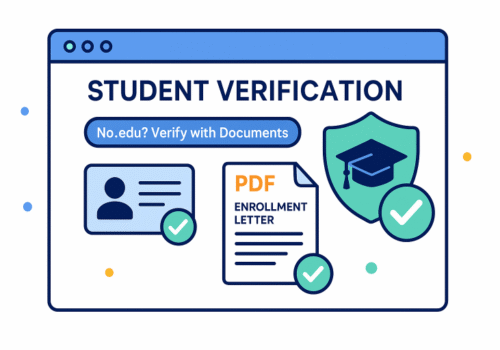
Not every legit student has a .edu address. Many colleges use other domains, international schools rarely issue .edu emails, and some learners study part-time or through continuing-education programs that don’t create campus mailboxes. The good news: most brands let you verify without a .edu—if you show the right documents and follow the correct flow.
Quick answer
If a checkout asks for a .edu email, look for a link that says “Verify another way,” “Use documents,” or “I don’t have a student email.” You’ll be asked to upload proof such as an enrollment letter or student ID. If no link appears, contact the brand’s support and ask where to submit alternative proof.
What proof usually works (pick any 1–2)
-
Current student ID card with your name and an expiration or current term/year
-
Enrollment/registration letter from your school (PDF is best)
-
Class schedule/timetable for the current term showing your name and dates
-
Tuition receipt or invoice with your name and current term
-
Official transcript (unofficial is often fine if it shows the term)
-
Offer/acceptance letter plus evidence you’ve enrolled (e.g., fee receipt)
Tip: Make sure at least one document shows your name + school name + dates that prove you’re a current student.
Where you’ll verify (and what to expect)
Many brands use trusted third-party checks. Common names include UNiDAYS, Student Beans, SheerID, ID.me, and VerifyPass. Their flows typically offer a document upload path when email matching fails. Expect a quick automated decision or a manual review within 24–72 hours.
Step-by-step: verify without a .edu
A) Starting from a brand’s site
-
Open the brand’s official website and find the Student/Education page.
-
Click “Get verified” (you may be redirected to a verifier).
-
If email validation fails, select document upload.
-
Upload one or two proofs (PDF or clear photo).
-
Wait for approval, then return to the brand to apply your discount.
B) If there’s no document option
-
Take a screenshot of the page asking for .edu.
-
Open the brand’s live chat or support form (on the brand’s site).
-
Send this message:
“Hi, I’m a current student at [School]. We don’t use .edu emails. Could you please provide the alternative verification link so I can upload my enrollment letter?”
-
If support replies with a manual submission email, send your PDF proof.
How to get the right document (fast)
-
Registrar/Student Services: Ask for an Enrollment Verification Letter (many schools let you download it in the portal).
-
Timetable: Export your current term schedule as PDF (include your name and dates).
-
ID card: Photograph both sides in good light; crop tightly; avoid glare.
-
Transcripts: “Unofficial” versions are often accepted if they show your name and the active term.
File prep that avoids rejections
-
Format: PDF first, JPG/PNG second. Combine multiple pages into one PDF if possible.
-
Clarity: Use 300 dpi scans or bright, glare-free photos.
-
Redaction: You can cover sensitive numbers (e.g., student ID’s last digits) but keep your name, school, and dates visible.
-
Naming:
Firstname_Lastname_School_Enrollment_2025.pdflooks professional. -
Match info: The name on your files should match the name in the form and on your payment method.
Country snapshots
-
US & Canada: SheerID, UNiDAYS, ID.me are common; document upload is widely supported.
-
UK & Ireland: Student Beans and UNiDAYS are prevalent; TOTUM (NUS) can also serve as proof for some merchants.
-
EU: UNiDAYS/Student Beans in many markets; ISIC is accepted by certain travel and culture partners.
-
Australia/NZ: UNiDAYS and Student Beans; most brands accept document uploads if email fails.
Edge cases (what to do)
-
Online bootcamps & short courses: Ask the provider for a formal enrollment letter on letterhead with dates. Some brands restrict discounts to accredited institutions—check the terms.
-
High-school students: Some music/tech education offers accept secondary-school proof. Provide a current ID or enrollment letter.
-
Offer holders (not started yet): Some verifiers accept acceptance letter + deposit receipt; others require you to be in session.
-
Homeschool: Look for brands that accept ISIC or document letters. When possible, provide district/association documentation and current course proof.
Common reasons for rejection (and fixes)
-
Dates aren’t current → Resubmit with a document showing the current term or a letter issued this month.
-
Blurry/partial images → Re-scan or re-photo; include corners and seals.
-
Mismatched names → Update your account profile or include a second document that ties names together (e.g., bank statement with student ID name if you use a nickname).
-
Unrecognized school → Ask support how to add your institution or which verifier accepts it; attach a link to your school’s official site.
Privacy and safety
-
Never share your school login password with anyone.
-
Only upload documents through the brand’s verifier or the brand’s own portal.
-
Don’t send ID photos through random DMs or unofficial email addresses.
-
Prefer using a credit card (easier chargebacks if something goes wrong).
If you still can’t get approved
-
Try a different path on the same brand (some have separate flows for different regions).
-
Contact the verifier directly via their help center and provide your case number.
-
Ask the brand for a manual override or a one-time code after you submit proof.
-
If the brand truly requires .edu and won’t budge, check our roundups for alternative merchants with flexible verification.
FAQ
Do I need a .edu email to get any student discounts?
No. Many programs allow document uploads. Some even let you verify with a phone number or school portal login.
What if my school email ends with .ac.uk, .edu.au, or something else?
That’s normal. If automatic recognition fails, switch to document upload.
Can I use an ISIC card as proof?
For certain travel, museums, and culture partners, yes. For software/hardware, it depends on the brand’s rules.
How long does manual review take?
Often minutes to 48 hours, but allow up to 3 days in busy periods.
Will I need to re-verify?
Usually once a year or once per academic term, depending on the brand.
Copy-ready checklist (paste near your CTA)
-
I found the official student page on the brand’s site.
-
I chose document upload instead of .edu email.
-
My proof shows name + school + current dates.
-
Files are clear PDFs; sensitive numbers are redacted.
-
If blocked, I contacted support and requested the alternate verification link.
Meta title (suggested): How to Prove You’re a Student Without a .edu Email
Meta description (suggested): No .edu address? Here’s how to verify your student status with documents—what proof works, where to upload it, and how to pass manual review safely.