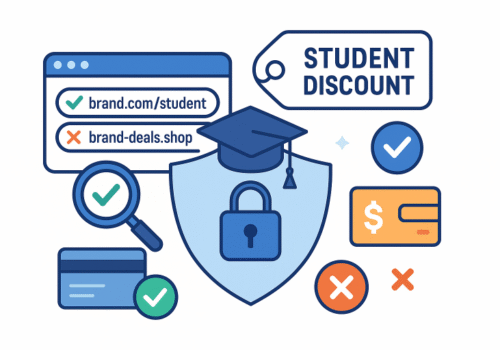
Students really do get great deals—on software, tech, travel, even food. That’s exactly why scammers love pretending to offer them. This guide shows you how to spot fakes fast, verify offers safely, and protect your money and identity.
TL;DR (read this first)
-
Start at the brand, not the ad. Find the deal from the company’s official website before you click anything else.
-
Know the real verifiers: UNiDAYS, Student Beans, SheerID, ID.me, VerifyPass are commonly used by legitimate brands.
-
Never pay to “unlock” a discount. Up-front fees, gift cards, crypto, or “verification charges” are red flags.
-
Use a credit card with chargeback protection (not debit) and consider a virtual card with a spending limit.
-
When in doubt, stop. Screenshot the offer, close the tab, and confirm with the brand’s support channel.
The scam patterns you’ll see most
-
Brand impersonation pages
Lookalike domains (e.g.,brand-support.coorbrand-deal.shop) copy a retailer’s design and push “student-only” prices that are far below market. -
Fake verification flows
Pages that mimic UNiDAYS/Student Beans styling ask for your school login or personal ID, then harvest credentials. -
“Pay to verify” or “membership fee required”
Real student programs don’t make you pay to prove you’re a student. Scammers frame it as a “one-time unlock.” -
Social DMs and comment bait
“Ambassador” accounts on Instagram/TikTok promise exclusive student codes if you message them. The chat then moves to WhatsApp/Telegram and requests payment. -
Too-cheap software keys and “lifetime” subs
Deeply discounted keys for Adobe, Microsoft, or streaming “lifetime” access often come from stolen/abused licenses. Besides losing money, you may get your accounts banned. -
Coupon-site copycats
Thin sites stuffed with expired codes collect your email/phone, then resell your data. They rarely link to an official student portal.
Red flags: quick checks in under 60 seconds
-
URL mismatch. The address bar should show the brand’s real domain (type it yourself). Beware typos like
ad0be.com, extra hyphens, or unfamiliar TLDs. -
No clear program page. Legit offers link to a brand’s Student/Education page with terms and eligibility.
-
Up-front payments. “Pay $3 to verify,” “buy a gift card first,” or “crypto only” = walk away.
-
High pressure. Countdown timers + “only 3 codes left” + push to chat apps = manipulation.
-
Poor basics. No company address, no returns/refunds policy, broken English, missing HTTPS, generic contact forms.
-
Data overreach. Requests for full SSN, full passport number, or school account password are unnecessary and risky.
How to verify a student deal safely
-
Begin at the source.
Open a new tab and type the brand’s domain yourself (e.g.,brand.com). Search “site:brand.com student discount” or navigate the footer for “Student”/“Education.” -
Look for a known verifier.
UNiDAYS, Student Beans, SheerID, ID.me, VerifyPass are common. Real flows redirect to those providers or host a branded, well-documented process. -
Confirm with support.
Use the brand’s official chat or phone number listed on its site (not the one in the ad). Ask:
“Do you currently run a student discount? Which verification partner do you use?” -
Check the terms.
Real programs list eligibility (part-time/full-time), regions, renewal windows, and limits (e.g., one device per year). -
Cross-check your campus perks page.
Many universities maintain a benefits/perks page or software portal that links directly to legitimate programs.
Paying safely (and keeping your identity safe)
-
Prefer credit over debit. Credit cards generally offer stronger chargeback protections.
-
Use a virtual card or set a spending cap. Many banks and password managers offer masked numbers and per-merchant limits.
-
Avoid irreversible payments. Wire transfers, crypto, gift cards, and Zelle/Friends-and-Family options are favorite tools of scammers.
-
Compartmentalize your info. Don’t reuse your school password anywhere else. Turn on two-factor authentication for your email and financial apps.
-
Watch the merchant descriptor. Before you approve 3-D Secure/SMS codes, confirm the merchant name matches the brand.
Where legitimate student deals usually live
-
Official education stores: Apple Education, Microsoft, Adobe, Lenovo, Dell, HP, and many more run their own portals.
-
Recognized verification platforms: UNiDAYS, Student Beans, SheerID, ID.me, VerifyPass integrate directly with brands.
-
Trusted roundups: Look for sites that link back to the brand’s student page (not to third-party checkout). Listings should include eligibility notes and end dates.
(Tip: Any “deal” that never returns you to the brand’s own checkout or uses a mystery payment processor is suspect.)
If you clicked—or paid—what to do next
-
Stop contact and capture evidence.
Take screenshots of pages, receipts, emails, and chat logs. -
Secure accounts.
Change passwords on your email, school login, and any account you used; enable 2FA. -
Call your bank/card issuer.
Report the charge as unauthorized or as a misrepresented purchase; ask about a chargeback. -
Scan your device.
If you downloaded anything or allowed “remote support,” run a reputable antivirus and reset browser extensions you don’t recognize. -
Report it.
-
US: Federal Trade Commission (FTC) and the FBI’s IC3 (internet crime).
-
UK: Action Fraud.
-
Canada: Canadian Anti-Fraud Centre.
-
Australia: Scamwatch (ACCC).
Also notify the impersonated brand; they often take down fake pages quickly.
-
Three quick real-world scenarios
-
The “ambassador DM”
A stylish account DMs you: “Exclusive student code—message me on WhatsApp.” They ask for a verification fee. Verdict: Scam. Legit brands don’t verify or transact via DMs. -
The “education key”
A site sells an Adobe “lifetime student license” for a few dollars. Checkout only takes crypto. Verdict: Scam or illicit keys. You risk losing access and your money. -
The “redirect maze”
A post links to a “student-only” store onbrand-support.shop, then to a generic payment page. No brand terms, no verifier. Verdict: Scam—there should be a path back to the brand’s own domain.
FAQ
Do I need a .edu email?
No. Many programs accept alternative proof (student ID, enrollment letter, class schedule) through trusted verifiers.
Are TikTok/Instagram promo codes safe?
They can be—but verify on the brand’s official site. If a code only works on a non-brand checkout, skip it.
Is it okay to upload my student ID?
Only through a recognized verifier or the brand’s official portal. Cover sensitive numbers if allowed, and never send ID photos via chat apps or email to strangers.
What about super-cheap reseller keys?
Risky. If the price is wildly below the brand’s own student price, assume stolen/abused licenses or gray-market keys.
A 10-point pre-purchase checklist
-
I navigated to the offer from the brand’s official domain.
-
The student page lists clear eligibility and terms.
-
Verification is via UNiDAYS / Student Beans / SheerID / ID.me / VerifyPass or an on-site flow I trust.
-
No up-front fee is required to “unlock” the deal.
-
The URL, company name, and payment processor look right.
-
I’m paying with a credit card (not gift card/crypto/wire).
-
I can find support contacts and a real returns/refunds policy.
-
The deal price is plausible, not “90% off everything forever.”
-
I’ve screenshotted the terms and confirmation page.
-
If anything feels off, I’m willing to walk away.
Final thoughts
Student discounts are meant to help you, not trap you. Keep your path simple: start from the brand, use trusted verification, pay safely, and slow down when something feels rushed or secretive. You’ll save money—and avoid the headaches entirely.